Faux postage is a really fun mixed media project to make because it’s relatively non-threatening to create tiny works of art in a format that everyone is familiar with. There are lots of craft products you can buy that make it easier to make artwork that looks like postage stamps. A long time ago I designed some rubber stamps for this purpose and some of them are currently for sale in my Etsy shop. You can make this project with any other small stamps that you own also and a selection of paper crafting supplies. Enjoy!
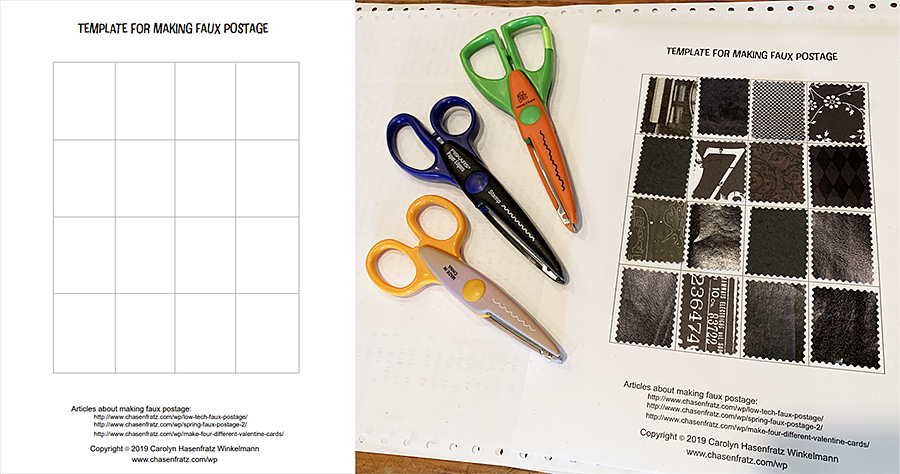
1. Download and print out the two-page PDF file Low Tech Faux Postage. You’ll use the first page for Part 1.
2. Cut out some paper rectangles that are 1 3/4 inches tall and 1 3/8 inches wide from dark paper. You will need at least 16 rectangles.
Cutting rectangles from paper scraps to glue onto faux postage template.
3. Trim the edges with a paper edging scissors and arrange on your Low Tech Faux Postage sheet Page 1. You can think of your sheet as one composition made up of 16 tiny compositions if that helps you to get ideas. Glue down your trimmed paper rectangles.
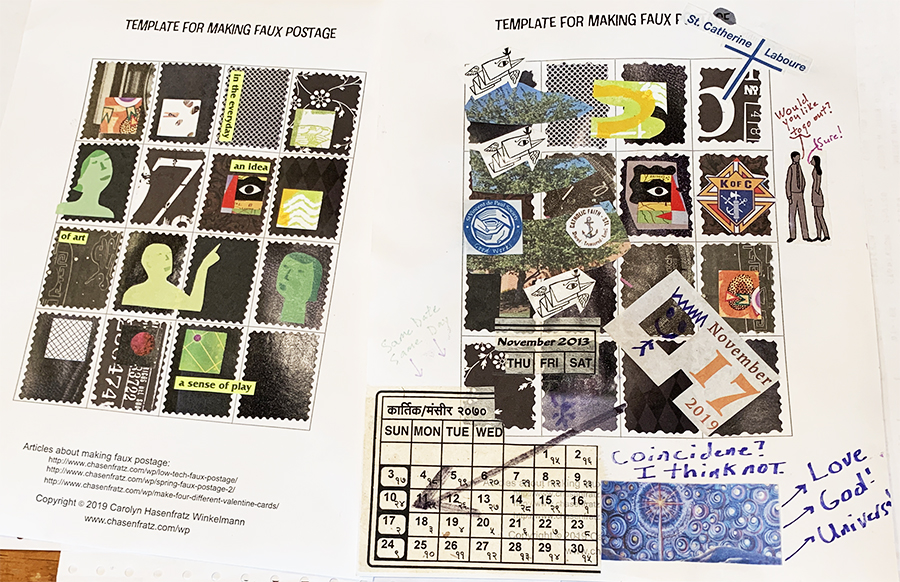
4. Use a 1″ square paper punch and start by punching out one square for each rectangle from a selection of random scrap papers. Arrange until you are satisfied. If you have similar sized paper punches in other shapes such as circles, feel free to try them out. As you look through your scrap papers, you might get inspired to cut out other shapes. If you are moved to do so, go ahead and cut out whatever you like and glue down on your sheet without worrying about whether or not you’re “inside the lines”.
Paper collage on the template sheet. Mine is on the left, my husband Tom’s is on the right.
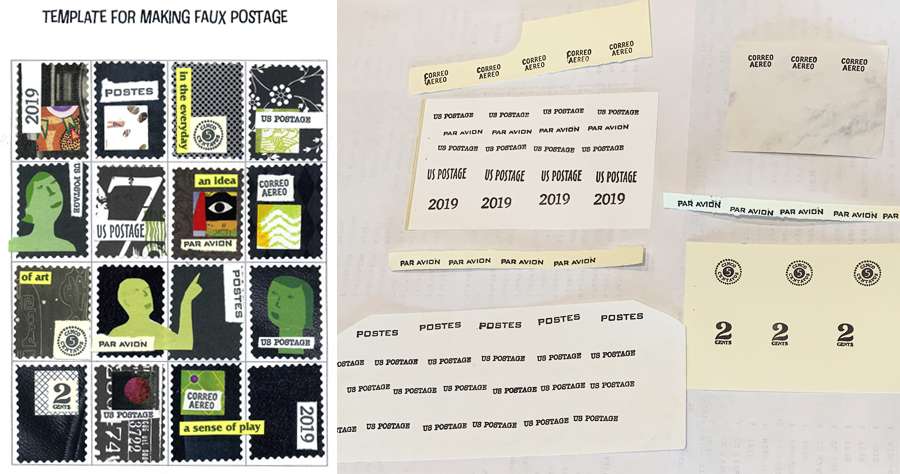
5. Take some tiny rubber stamps with words, phrases, numbers or symbols that have to do with philatelic stuff like stamps or cancellations. Stamp them in permanent black ink on light colored pieces of scrap paper. When the ink is dry enough to handle, cut or tear out what you have stamped.
6. Glue the torn or cut pieces to the collage work you’ve already done to help make each rectangle suggest a postal stamp design.
Stamped paper bits glued to collage.
7. Continue to add embellishments to your stamps until you think they look finished. Here are some suggestions for what you can add:
More cut collage papers, found or commercial
Stickers
Drawing – paint and gel markers are interesting choices to experiment with because you can write with them on slick surfaces and sometimes dark backgrounds as well
Stenciling Image transfers
Design tape
Rubber stamping
8. When your stamp sheet is done, you can frame the whole thing to display it, cut apart your stamps to make tiny artworks, make color copies then cut apart the color copies, or put the whole thing in an art journal. Your imagination is the only limit and the most important thing is to have fun!
After Gauguin we looked at some of the other galleries. Tom is in red, Mike is in Yellow.
Yesterday my husband Tom and I attended the last day of the Gauguin exhibit at the St. Louis Art Museum, Paul Gauguin: The Art of Invention. Our friend Mike went with us and treated us to the tickets that he had earned from doing volunteer work.
When I first became interested in studying art, I wanted to be a painter. When I took ceramics and printmaking for the first time, I lost interest in painting and stopped reading about it as much as I used to in favor of my new passions. Over the years I also have done some pretty intense study of fiber arts, various crafts, collage, Dadaism, neo-Dadaism and Mail Art, ‘Zines, book arts, Outsider Art, Pop Art, photography, computer animation, web design, architecture, graphic design, the decorative arts, archaeology and anything Mid-Century Modern. Impressionism and Post-Impressionism were the first kinds of painting that drew me in but over the years I came to prefer Surrealism and Abstract Expressionism as painting styles. I hadn’t done any reading on Gauguin for a long time.
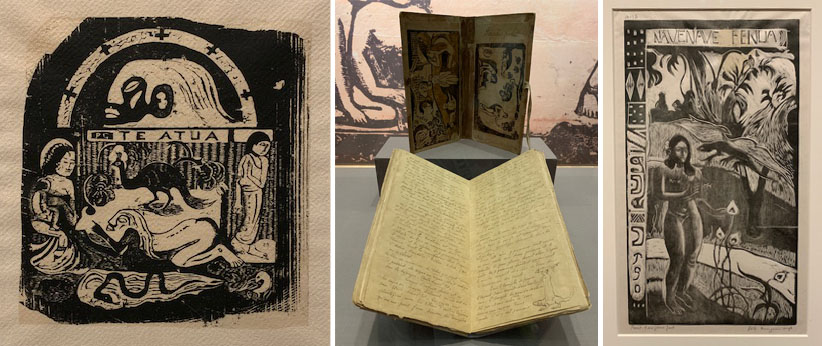
Some of Gauguin’s wood cut prints and a handmade book.
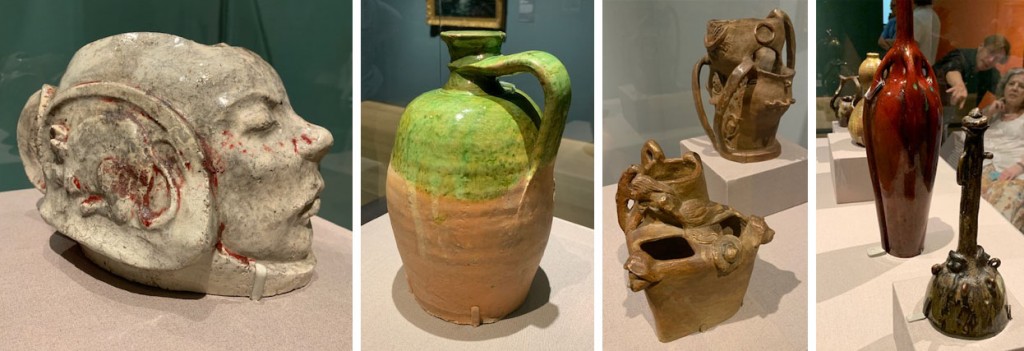
I really enjoy artists and designers who work in a variety of media, such as Alexander Calder, Henri Matisse and Frank Lloyd Wright. A lot of times I feel guilty about having so many interests and dabbling in so many different occupations and areas of study. Today’s society seems mostly to expect you to do only one thing but that is not and never will be “me”. So at this Gauguin show I was very intrigued to see some of Gauguin’s ceramics, wood carvings and woodcut prints alongside the paintings. There were ceramics and decorative objects from Gauguin’s personal collection as well as Oceanic and Peruvian art that was representative of the cultures Gauguin was influenced by. He was also at various times a sailor, a stockbroker and a writer. People like this make me not feel so weird!
The bright green and bright red ceramics and the one that kind of looks like a gourd are from Gauguin’s collection. The other more figurative ceramics were made by him. Some of these ceramics were inspired by paintings he owned by other artists, and the green jug was in one of his paintings. It’s always interesting to see artists’ personal collections!
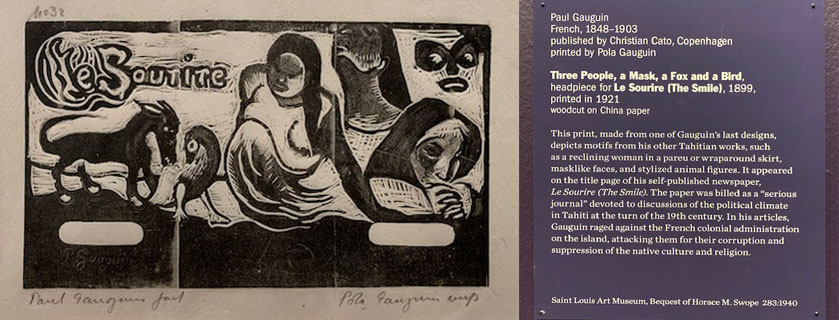
As a former ‘zine publisher (Lime Green News 1991-1998), I was excited to see a woodblock print graphic in the exhibit that Gauguin carved to help him publish his own newspaper, which could be considered a type of ‘zine. I’m currently taking a Mass Communications class and in our textbook Mass Communication Theory: Foundations, Ferment, and Future by Stanley J. Baran and Dennis K. Davis, I’ve highlighted a very intriguing sentence: “Extremists were often forced to rely on older media like pamphlets, handbills and political rallies.” I don’t know if Gauguin would have been considered an “extremist” in his time but he was critical of religion and government and his lifestyle was, to put it politely, pretty “bohemian”. When I read the above sentence in my textbook I thought of the history of self publishing and the many forms it can take. Before movable type printing presses, documents were hand written or perhaps laboriously printed with hand-printing methods such as stamping and wood block printing. Later there were typewriters, carbon paper, mimeographs, copy machines, desktop computers with printers and the World Wide Web, making self-publishing easier and more accessible.
When I was ‘zine publishing, I used to make my originals on paper to be copied on a copy machine at the office supply superstore. I started out with text printed out on an inkjet printer on my 1983 Commodore 64 computer, which I used for all my word processing until 1995. I essentially made big collages for my pages, combining the printed text with a variety of graphics, collages and hand-drawings. If I wanted to add color I would sometimes carve a rubber stamp and stamp it on the finished prints. I think the largest edition I ever made of my ‘zine was 100, so stamping 100 times to add a bit of color was feasible.
I got a Windows computer in 1995 with a black and white laser printer. At that time I got Internet access for the first time and started reading on the World Wide Web. My first web site went live in 1997. Gradually I made my ‘zine using more modern desktop publishing methods and by learning software such as the Microsoft Office suite, Corel Draw and Photoshop. The last years of my ‘zine incorporated more and more “modern” techniques but were still made as big collages with some hand-embellishments before copying. In 1998 I just switched my ‘zine content over to my web site, which although a bit out of date in spots is still live (www.limegreennews.com). It needs some (ok a lot of) work because I’ve been neglecting it in favor of the blog you are reading now.
Publishing online is very satisfying, but I miss the lower-tech, handcrafted methods of self-publishing sometimes. I still like book arts in various forms. I’d like to write about or engage in some self-publishing as I work on my master’s degree if possible. It’s been on my mind ever since reading that sentence in the textbook. I got out some of my old ‘zine originals to go down memory lane and think about some possible research ideas. ‘Zine publishers do a lot of trading and I had a big collection of other people’s ‘zines plus material they sent me for consideration for publication. I donated the bulk of my collection to the Poetry and Rare Books collection at the University of New York at Buffalo some years ago but I did save a few things I especially liked. I have no idea what they kept of my collection if anything, but they did have a subscription to my ‘zine when it was in publication and I didn’t know of anyone else who might be interested! I didn’t save much of the “extremist” stuff for my own collection because it frankly scared me and was one of the reasons I dropped out of the printed ‘zine scene – it helped contribute to a major anxiety attack that I eventually received treatment for and recovered from. I don’t think I’ve ever said publicly why I dropped out of the ‘zine and Mail Art scene suddenly but that is a major part of why I did that. I do miss aspects of it though. I’m kind of hoping that working on my degree will bring opportunities to do some research on this era of communication or even get back into it in some way. I might even re-publish on this blog some things that are not too embarrassing that aren’t yet online. We’ll see!
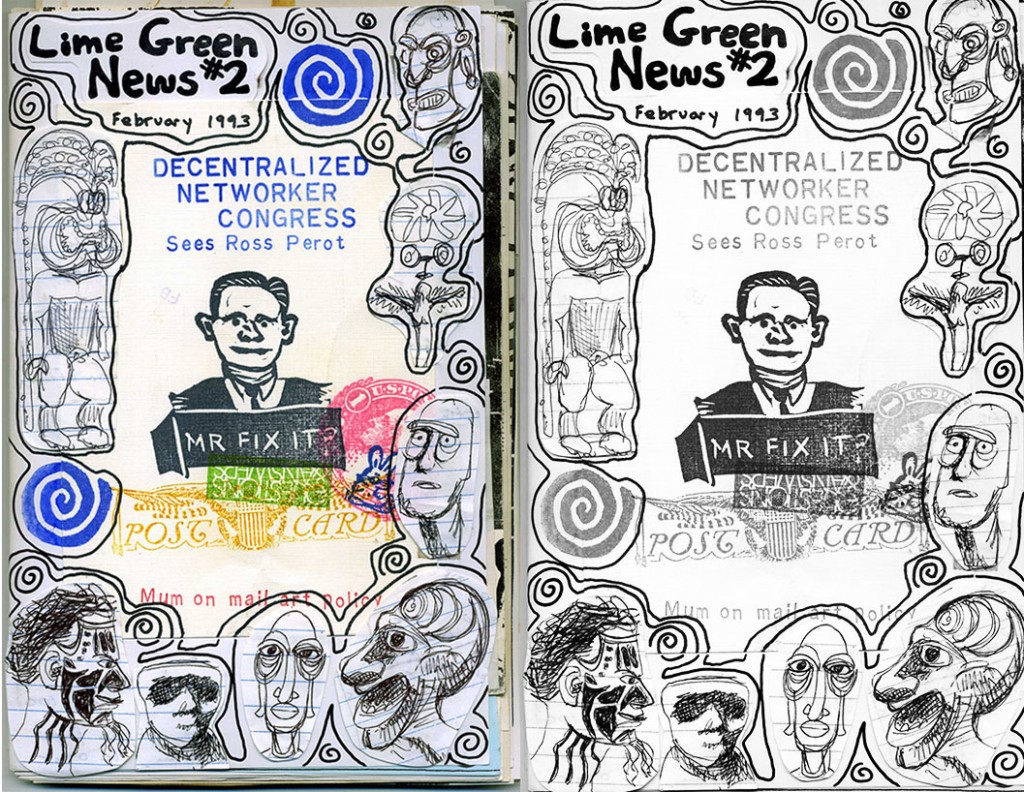
Just for fun, since the art show I just saw included Oceanic art and some work by Gauguin that shows how he was influenced by that art , here is what the cover of Lime Green News #2 looked like. I took a postcard with rubber stamped art work that I liked from another mail artist and taped down some sketches from my then-current Oceanic art history class. I drew and stamped crudely around the sketches and the postcard to make a cover. On the left is my original, on the right is a simulation of what the cover would have looked like after copying it on a black and white machine at the office supply superstore. I don’t know if I even have a printed version of this issue in my archives, I probably just have the original. At that time, if my memory is correct, I used to print about 10-15 copies just to trade with people.
What do Ross Perot and Oceanic art have to do with each other? I had no idea then and don’t now, but one thing I have not ever grown out of is making collages out of random things. Now I call it Art Journaling and use it as one of my artistic outlets since I don’t really try to make “Fine Art” type art any more. It’s not that I don’t have plenty of ideas, I do, I just don’t see what good it would do for anybody. But I never know what older ideas I’m going to go back to!
Letter charms made by making a paper collage then adding letter stickers and jewelry parts.
I love to make mixed media charms and beads to use in jewelry making. Recently I participated in a charm swap and made some initial necklaces for friends at JoAnn Fabrics and Crafts where I am a teacher. Learn how to make these charms by reading my tutorial on the Canvas Corp Products blog!
As a member of the “gig economy” I do contract and part-time consulting, marketing and customer service work for various clients. Two retailers I work with recently had need of some in-store signage. One is a hardware store and one is a craft supply store and they both sell stencils. I’ve been experimenting with letter stencils to make signage that gets the message across and at the same time demonstrates how to use some of the products that the stores sell.
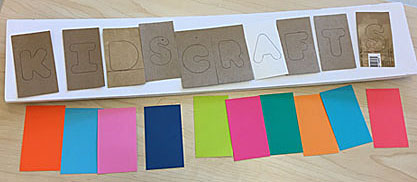
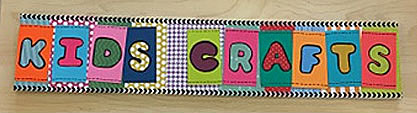
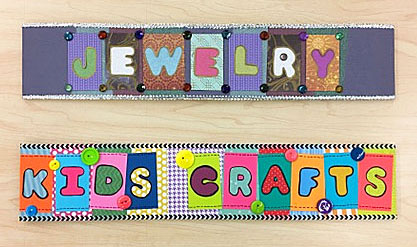
JoAnn Fabrics and Crafts in Maplewood, MO has a teaching department of which I am a member. The education coordinator asked each teacher to make a sign or two for the classroom samples display to highlight the categories of classes we teach. I was assigned “Kid’s Crafts” and “Jewelry”. I was given two blank pieces of foamcore already cut to size and access to the classroom supply cabinet. Fun!
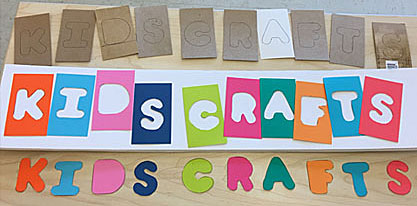
I like the look of cut-out letters layered over a background. To help me visualize how to arrange the letters on the foamcore board, I cut out some pieces of scrap chipboard and used a letter stencil to trace the outline of each letter in position. Then I decided what colors to use in the actual sign. Since it’s spelling out “Kid’s Crafts” that’s a good excuse to use some really bright colors!
I traced the letters again onto the colorful cardstock pieces I selected then cut the letters out with an X-acto knife. I’ll save the cutout letters in case another suitable project comes up.
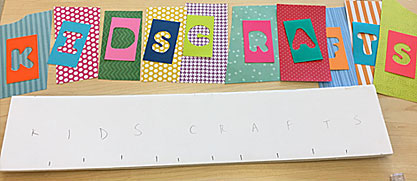
Next I selected papers to use as backgrounds for each letter. I marked the foamcore as a rough guide to where I would place the background for each letter.
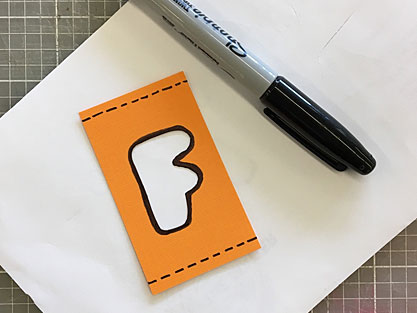
A little black and white in a design is a great way to add visual interest. Some of the background papers already have some white in the pattern. To get some black in the design, I outlined each cut letter with a black Sharpie marker and drew some faux sewing stitch lines to help convey the hand crafts theme. The black outline also covered up my pen lines from when I traced the letters. Black Sharpie markers are such an essential part of my tool kit (like glue sticks) that I buy them wholesale because I go through so many!
In order to read well from a distance, I thought some of the letters needed an improvement in the contrast. I added high contrast solid paper behind the letters that needed to pop a bit more. Then I added a strip of black and white paper tape (also known as design tape and washi tape) to the top and bottom edges for a more finished look.
The final finishing touch was to glue on a few colorful buttons here and there. I used a similar design idea to make my sign for Jewelry. That was fun to make because it gave me a chance to use some “shiny” supplies that are appealing but hard to find a use for that is tasteful and appropriate – metallic papers, silver ribbon, glitter papers and plastic jewels! I outlined the letters in the Jewelry sign with a metallic gold Sharpie paint marker that looks good with the jewel-toned papers and theme. The paint marker also has good enough coverage to conceal my pen lines.
These signs were fun to make and also stretched me creatively because I used a few materials and colors that I don’t design with very often. That’s good exercise for any designer!
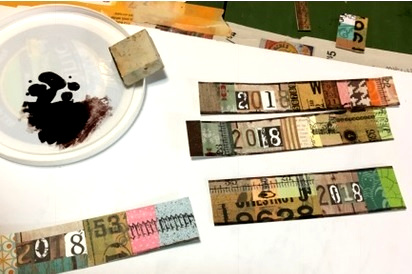
I started this year’s design by collaging small pieces of paper onto scrap paper strips that were about 3/4 to 1 1/4 inches wide. I began with the numbers “2018” which I cut from the 7gypsies papers Paddington Blackfriars and American Vintage: 12×12 State Plates Paper. I filled in the paper strips with assorted scrap papers from my small scrap box.
Next I rubbed on some images from the set Architextures™ Parchment Rub-On – Build which were a good fit for my chosen theme “Let’s build a great 2018!”. I added a bit of Tim Holtz paper tape.
I trimmed my strips with scissors to make the edges as even a possible then I scanned them and used Adobe Photoshop software to refine my trimming job and arranged some of the strips into a rectangular digital collage for the front of the card. I made a selection outline of all the areas with the year numbers and turned up the contrast so that they would stand out more. I added some grid designs and hardware looking graphics using Adobe Illustrator then I saved a PDF file of my cards to take to the printer.
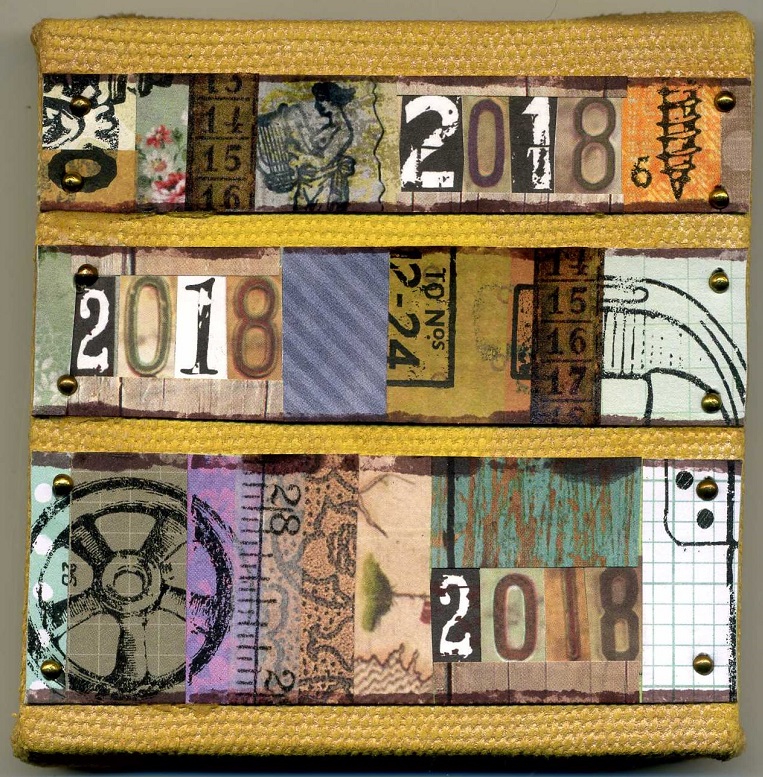
While I was working on the collages for my New Year card, I also completed a project for Canvas Corp Brands. I’ve been selected for the 2018 CCB Creative Crew , the design team that makes samples and comes up with projects for Canvas Corp Brands products. Our first challenge was to decorate a 4 x 4 inch canvas in a way that highlights our personal style.
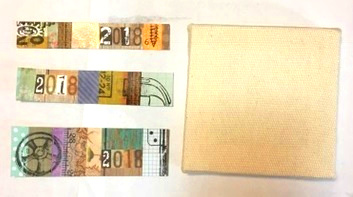
To create the above decorated mixed media canvas I cut three of my collage strips to fit the 4 x 4 inch stretched canvas from Canvas Corp.
I squirted some StazOn Timber Brown permanent rubber stamping ink onto an old food lid to use as a palette. I used the side of an eraser to print a line of Timber Brown along the edges of each collage strip.
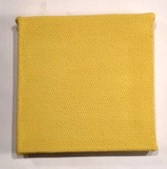
I painted my canvas with yellow acrylic paint and allowed it to dry.
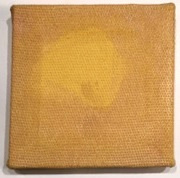
Then I applied Tattered Angels Color Wash paint in Rose Gold with a brush along the sides and around the edges of the canvas.
To finish my canvas, I glued the collage strips to the front with Turbo Tacky Glue and nailed tiny tacks into the corners of each paper piece. All done!
Here are the results of what has become an annual ritual for me – designing a card to celebrate the New Year!
New Year Card for 2016
This year there are three versions of the card – see my Pinterest board for a peek at the other two variations.
Making these designs was kind of an involved process. The first thing I did was go through some monoprints I did back in the 1990s that I thought would make good backgrounds. These prints were “rejects” that I didn’t think were interesting enough on their own but I thought might be good as part of a collage some time in the future. Next I used some archival dye-based ink (Ancient Page and ColorBox Archival) to stencil designs on top of the background pieces. I chose this ink because it was translucent and I wanted the backgrounds to show through a little. Most of the stencils I used on the backgrounds were from a series that I cut out back in September consisting of designs inspired by a mid-century modern building I saw on a trip last summer.
I drew a set of retro ornament shapes and cut them out of more monoprint scraps, and stenciled on them with some commercial stencils of geometric design. I thought they complemented the mid-century modern look quite well. I don’t know many more times I can go back to the well of inspiration that is retro ornaments – I have yet to get tired of them!
The next step was to scan the background pieces into the computer and work on them a bit with Photoshop. I altered the colors a little bit on some of these to make them better backgrounds for the ornaments. The real life pieces will be used later in some art projects. I got some more use out of the backgrounds by making them into header images for Google+, Facebook and Etsy – I like to change those seasonally and without the seasonal references I won’t have to change these headers for awhile!
Monoprint leftovers with stenciling on top and a little bit of computer enhancement and collaging.
Next I scanned in the ornament pieces separately and used various Photoshop tools to trim around them and enhance the color a bit to make the stand out better against the backgrounds. I added a drop shadow and a grunge border and exported each composition as a JPEG to import into Illustrator. The card text and further details were done in Illustrator with the addition of the yellow texture imported from Photoshop. The texture was created with a technique I wrote about in my article Analog to Digital: Waste Paper From Stamping Projects Can Enhance Photoshop Art.
The next step is to get these printed and mail them out ASAP!
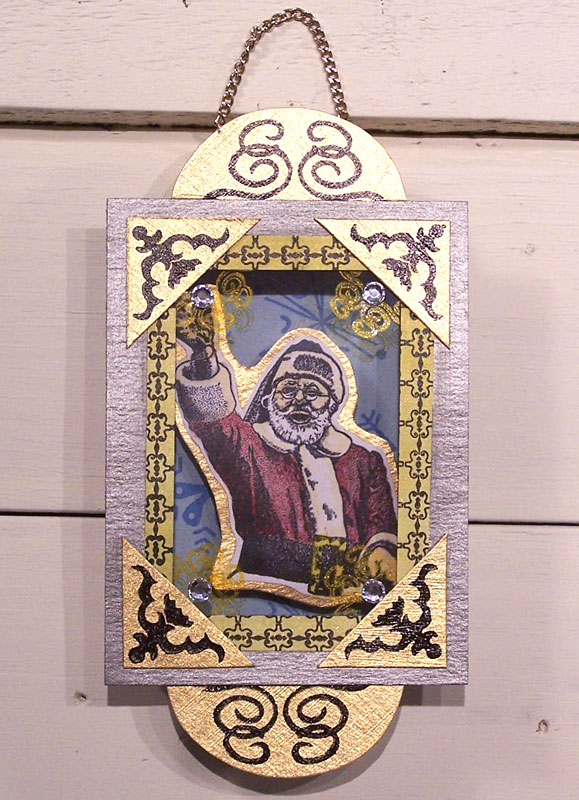
Mixed-media shadow box ornament by Carolyn Hasenfratz.
The Holiday 2015 issue of RubberStampMadness is out and I want to let you know about it because my article “No Ordinary Ornament” is published within! If you want to read it check the newsstand at your favorite craft retailer or go to the RubberStampMadness web site to order a copy. My four-page article contains step by step instructions and templates which you can copy and enlarge. Here are some other highlights of the holiday issue – Current Issue.
Some of the rubber stamps I used in my samples are from other stamp companies and some are of my own design and are available in my online store, Carolyn’s Stamp Store.
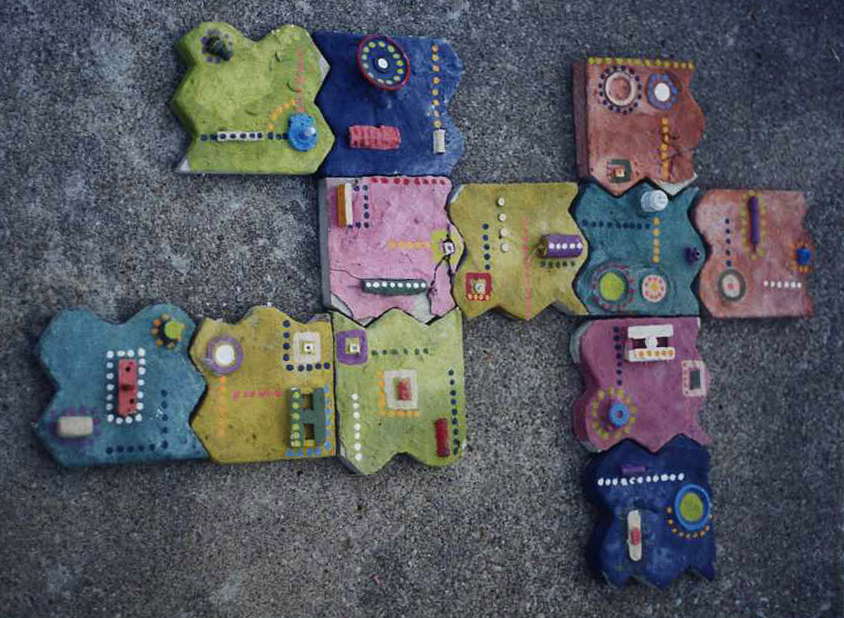
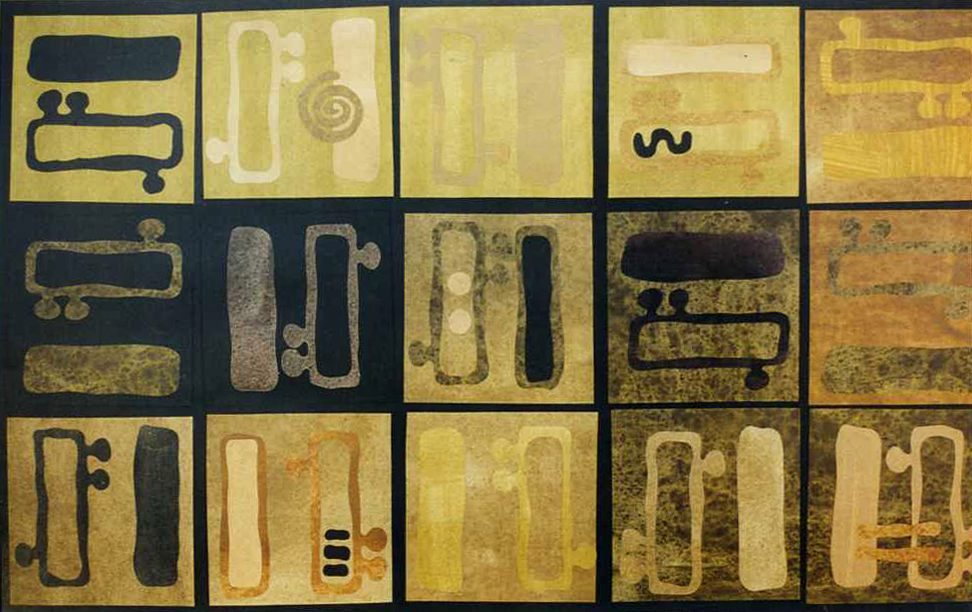
I was looking through some old photos recently and found some pictures of old artwork. Some of it I had decided a long time ago was not very good. While taking a fresh look, I decided some of it was not so bad and maybe even had some ideas worth revisiting so I made an album for old artwork on Pinterest. Here are a couple of samples!
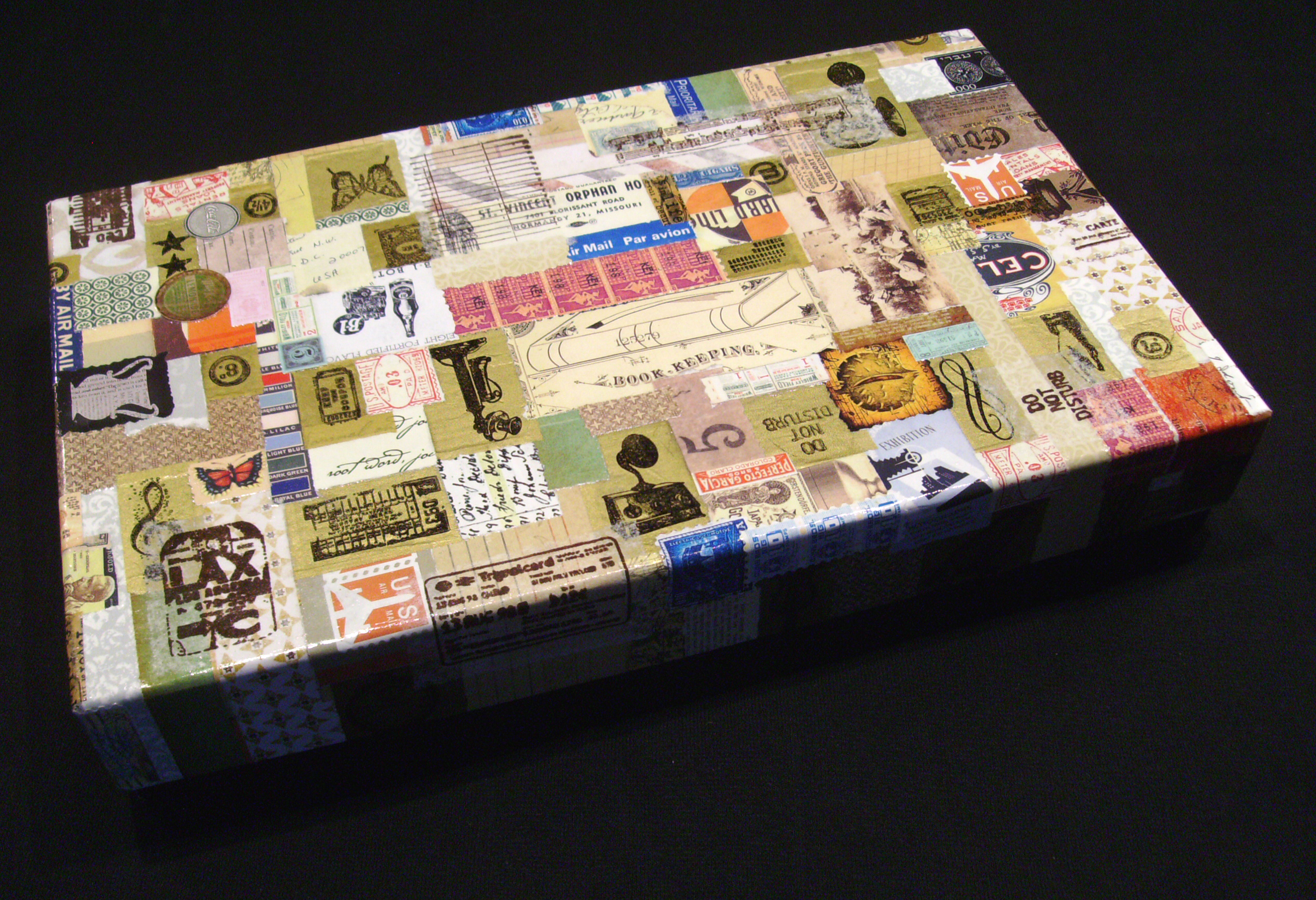
I repurposed this gift box into a nice storage box by doing some decoupage work on the lid. First I glued down antique imagery. Next I rubber stamped harmonious images onto gold and white tissue paper with Staz On permanent rubber stamp ink and glued those pieces down. After that layer was dry, I brushed varnish over the whole box top for durability.
Check out my Pinterest board for sources of free images to download and print out – Free Graphics and Fonts.
 Faux postage is a really fun mixed media project to make because it’s relatively non-threatening to create tiny works of art in a format that everyone is familiar with. There are lots of craft products you can buy that make it easier to make artwork that looks like postage stamps. A long time ago I designed some rubber stamps for this purpose and some of them are currently for sale in my Etsy shop. You can make this project with any other small stamps that you own also and a selection of paper crafting supplies. Enjoy!